
Each user added to Zenvia Customer Cloud is assigned an access profile that defines which system features they can use.
These profiles are configured to control access to all features of Zenvia Customer Cloud, ensuring that each user has only the permissions relevant to their role.
👉 In this article:
- Learn about the features and permissions by access profile
- See how to define or change a user's access profile
- Check the summary comparison of access profiles
| ⚠️ Attention Each user must be linked to a profile that defines their access permissions:
|
Features and Permissions by Access Profile
The features below may vary depending on the user access profile.
Horizontal Navigation
| Features | Viewer | Agent | Advanced Agent | Operator | Admin |
|---|---|---|---|---|---|
| Instant Support | ✔️ | ✔️ | ✔️ | ✔️ | ✔️ |
| Help Center | ✔️ | ✔️ | ✔️ | ✔️ | ✔️ |
| Notification Center | ✔️ | ✔️ | ✔️ | ✔️ | ✔️ |
| Suggestion Box | ✔️ | ✔️ | ✔️ | ✔️ | ✔️ |
| Switch Organizations | ✔️ | ✔️ | ✔️ | ✔️ | ✔️ |
| Access Home | ✔️ | ❌ *Because the Agent works exclusively in the support operation, they have access only to features specific to the Support and Commercial modules. For this reason, the Home screen is not displayed for this profile. | ✔️ | ✔️ | ✔️ |
| Edit Own Profile | ✔️ | ✔️ | ✔️ | ✔️ | ✔️ |
Contacts
| Features | Viewer | Agent | Advanced Agent | Operator | Admin |
|---|---|---|---|---|---|
| Contacts | ✔️ | ❌ | ✔️ | ✔️ | ✔️ |
| Contact profile | ❌ | ✔️ *when clicking on the contact's name in the service box | ✔️ | ✔️ | ✔️ |
| Create, edit, and manage contact via contact database | ❌ | ❌ | ✔️ | ✔️ | ✔️ |
| Contact list | ✔️ | ❌ | ✔️ | ✔️ | ✔️ |
| Create, edit, and manage lists | ❌ | ❌ | ✔️ | ✔️ | ✔️ |
| Tags | ❌ | ❌ | ✔️ | ✔️ | ✔️ |
| Bulk actions (delete and/or tag large volumes of contacts at once) | ❌ | ❌ | ❌ | ✔️ | ✔️ |
| Import contacts | ❌ | ❌ | ✔️ | ✔️ | ✔️ |
| Export contacts | ❌ | ❌ | ✔️ | ✔️ | ✔️ |
| Extra fields | ❌ | ❌ | ✔️ | ✔️ | ✔️ |
| Contact segmentation | ❌ | ❌ | ❌ | ✔️ | ✔️ |
| Contacts via API | ❌ | ❌ | ✔️ | ✔️ | ✔️ |
| Invalid contacts | ❌ | ❌ | ✔️ | ✔️ | ✔️ |
| Commercial contact manager | ❌ | ❌ | ✔️ | ✔️ | ✔️ |
| Company database | ❌ | ❌ | ❌ | ❌ | ✔️ |
Broadcast
| Features | Viewer | Agent | Advanced Agent | Operator | Admin |
|---|---|---|---|---|---|
| Message goal | ❌ | ❌ | ❌ | ✔️ | ✔️ |
| Broadcast message | ❌ | ❌ | ❌ | ✔️ | ✔️ |
| Tags | ❌ | ❌ | ❌ | ✔️ | ✔️ |
| Schedule broadcast | ❌ | ❌ | ❌ | ✔️ | ✔️ |
| Batch sending | ❌ | ❌ | ❌ | ✔️ | ✔️ |
| Send test email | ❌ | ❌ | ❌ | ✔️ | ✔️ |
| Best time | ❌ | ❌ | ❌ | ✔️ | ✔️ |
| Smart writing | ❌ | ❌ | ❌ | ✔️ | ✔️ |
| Visual email editor | ❌ | ❌ | ❌ | ✔️ | ✔️ |
| Email template library | ❌ | ❌ | ❌ | ✔️ | ✔️ |
| Variables | ❌ | ❌ | ❌ | ✔️ | ✔️ |
| Message re-engagement | ❌ | ❌ | ❌ | ✔️ | ✔️ |
| Continue interaction in Sales Support | ❌ | ❌ | ❌ | ✔️ | ✔️ |
| Continue interaction in Chatbot | ❌ | ❌ | ❌ | ✔️ | ✔️ |
| Automation creation | ❌ | ❌ | ❌ | ✔️ | ✔️ |
| Automation triggers | ❌ | ❌ | ❌ | ✔️ | ✔️ |
| Automation timer | ❌ | ❌ | ❌ | ✔️ | ✔️ |
| Automation templates | ❌ | ❌ | ❌ | ✔️ | ✔️ |
| Visual email editor in automation | ❌ | ❌ | ❌ | ✔️ | ✔️ |
| Automation via API | ❌ | ❌ | ❌ | ✔️ | ✔️ |
| Transfer contacts to support in automation | ❌ | ❌ | ❌ | ✔️ | ✔️ |
Ads
| Features | Viewer | Agent | Advanced Agent | Operator | Admin |
|---|---|---|---|---|---|
| Boost post | ❌ | ❌ | ❌ | ✔️ | ✔️ |
| Create ads from scratch | ❌ | ❌ | ❌ | ✔️ | ✔️ |
Sales
| Features | Viewer | Agent | Advanced Agent | Operator | Admin |
|---|---|---|---|---|---|
| Overview | ✔️ | ❌ | ✔️ | ✔️ | ✔️ |
| Activity Monitor | ✔️ | ❌ | ❌ | ✔️ | ✔️ |
| "In Queue" inbox | ❌ | ✔️ | ✔️ | ✔️ | ✔️ |
| "You" inbox | ❌ | ✔️ | ✔️ | ✔️ | ✔️ |
| "All" inbox | ❌ | ❌ | ❌ | ✔️ | ✔️ |
| "Colleagues" inbox | ❌ | ❌ *only if enabled for the group | ❌ | ✔️ | ✔️ |
| Button to add new contact | ❌ | ✔️ | ✔️ | ✔️ | ✔️ |
| Edit contacts | ❌ | ✔️ *by clicking on the contact name in the support inbox | ✔️ | ✔️ | ✔️ |
| Integrations | ❌ | ❌ | ✔️ | ✔️ | ✔️ |
| General settings: Business hours | ❌ | ✔️ | ✔️ | ✔️ | ✔️ |
| General settings: Quick replies | ❌ | ✔️ | ✔️ | ✔️ | ✔️ |
| General settings: Call from computer | ❌ | ❌ | ✔️ | ✔️ | ✔️ |
| General settings: Closing reasons | ❌ | ❌ | ❌ | ✔️ | ✔️ |
| General settings: Reply mode | ❌ | ❌ | ❌ | ✔️ | ✔️ |
| Support groups | ❌ | ❌ | ❌ | ✔️ | ✔️ |
Support Service
| Features | Viewer | Agent | Advanced Agent | Operator | Admin |
|---|---|---|---|---|---|
| Tickets | ✔️ | ✔️ | ✔️ | ✔️ | ✔️ |
| Operations Monitor | ❌ | ❌ | ❌ | ❌ | ✔️ |
| Support Inbox | ❌ | ✔️ | ✔️ | ✔️ | ✔️ |
| Ticket Settings | ❌ | ❌ | ❌ | ✔️ | ✔️ |
| Conversation Settings | ❌ | ❌ | ❌ | ✔️ | ✔️ |
Chatbot
| Features | Viewer | Agent | Advanced Agent | Operator | Admin |
|---|---|---|---|---|---|
| Builder | ❌ | ❌ | ❌ | ✔️ | ✔️ |
| Create Chatbot | ❌ | ❌ | ❌ | ✔️ | ✔️ |
| General Information | ❌ | ❌ | ❌ | ✔️ | ✔️ |
| AI Library | ❌ | ❌ | ❌ | ✔️ | ✔️ |
| Chatbot List | ❌ | ❌ | ❌ | ✔️ | ✔️ |
| Knowledge Base | ❌ | ❌ | ❌ | ✔️ | ✔️ |
| Conversations | ❌ | ❌ | ✔️ | ✔️ | ✔️ |
| Flow Map | ❌ | ❌ | ❌ | ✔️ | ✔️ |
Expert agents
| Features | Viewer | Agent | Advanced Agent | Operator | Admin |
|---|---|---|---|---|---|
| Success Monitor | ❌ | ❌ | ❌ | ✔️ | ✔️ |
| Expert Agents | ❌ | ❌ | ❌ | ✔️ | ✔️ |
| Specialist Agent Usage Statistics | ❌ | ❌ | ❌ | ✔️ | ✔️ |
Analytics
| Features | Viewer | Agent | Advanced Agent | Operator | Admin |
|---|---|---|---|---|---|
| Contacts | ✔️ | ❌ | ✔️ | ✔️ | ✔️ |
| Broadcasdt (All) | ✔️ | ❌ | ❌ | ✔️ | ✔️ |
| Ads | ✔️ | ❌ | ❌ | ✔️ | ✔️ |
| Sales Support (All) | ❌ | ❌ | ✔️ | ✔️ | ✔️ |
| Support Service (All) | ✔️ | ❌ | ✔️ | ✔️ | ✔️ |
| Success Monitor | ❌ | ❌ | ❌ | ✔️ | ✔️ |
| Chatbots | ✔️ | ❌ | ✔️ | ✔️ | ✔️ |
| Consumption | ✔️ | ❌ | ❌ | ✔️ | ✔️ |
Settings
| Features | Viewer | Agent | Advanced Agent | Operator | Admin |
|---|---|---|---|---|---|
Channels | ❌ | ❌ | ❌ | ✔️ | ✔️ |
Assign support group | ❌ | ❌ | ❌ | ✔️ | ✔️ |
| Integrations | ✔️ | ❌ | ❌ | ✔️ | ✔️ |
| Message templates | ❌ | ❌ | ❌ | ✔️ | ✔️ |
| URL shortener | ❌ | ❌ | ❌ | ✔️ | ✔️ |
| Tokens and Webhooks | ❌ | ❌ | ❌ | ✔️ | ✔️ |
| Sandbox testing | ❌ | ❌ | ❌ | ✔️ | ✔️ |
| Users and organization | ❌ | ❌ | ❌ | ❌ | ✔️ |
| Plans and contracts | ❌ | ❌ | ❌ | ❌ | ✔️ |
| Financial information | ✔️ | ❌ | ❌ | ❌ | ✔️ |
How to define or change a user's access profile
The access profile should be defined when you add a new user to Zenvia Customer Cloud — but if necessary, it can be changed at any time.
To do this, follow the steps below:
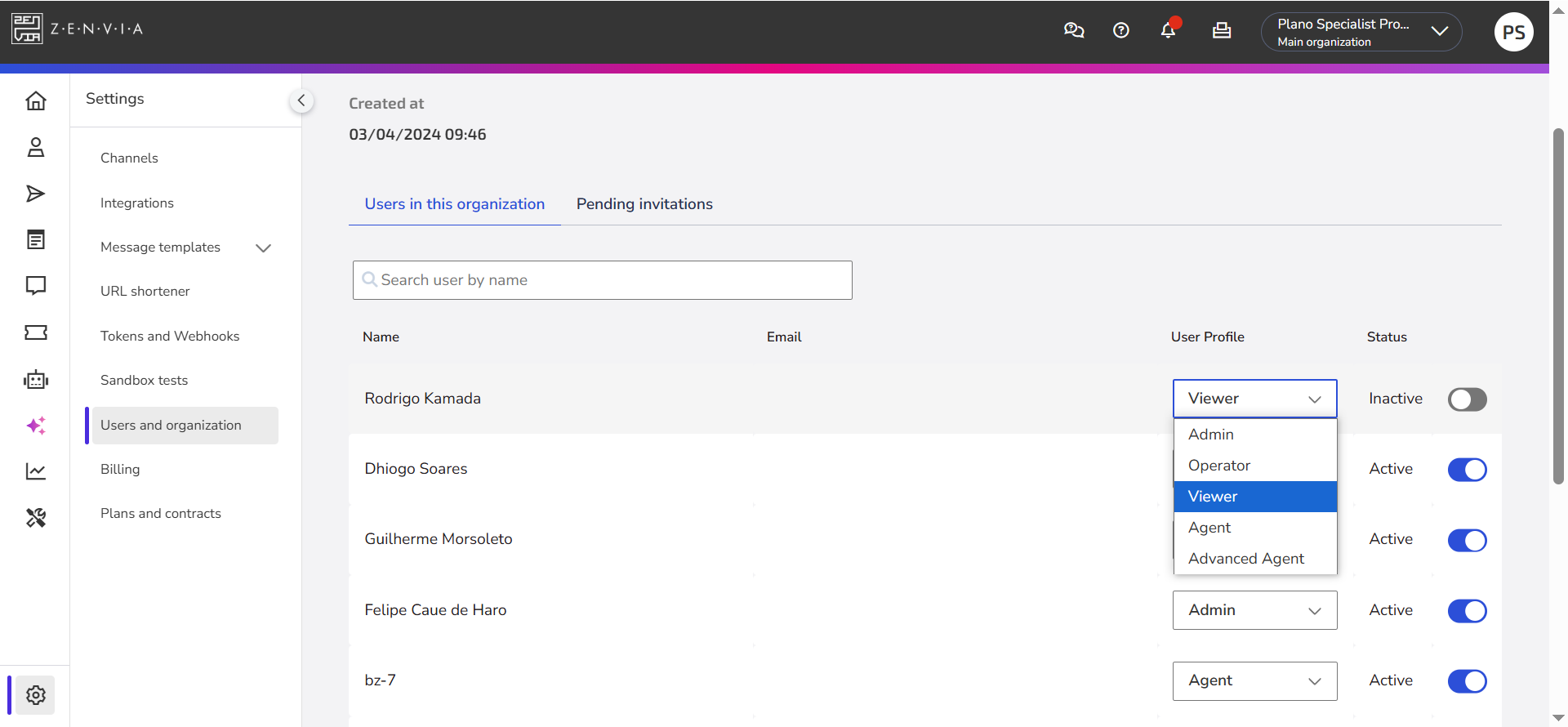
- In the side menu, go to Settings > Users and organization;
- In the Users of this organization tab, locate the desired user.
- In the User profile column, click the dropdown menu and select the new profile.
- Changes are applied immediately after selection.
Learn how to add a new user.
Access Profile Comparison
The table below summarizes the permissions and restrictions of each access profile in Zenvia Customer Cloud. Use it as a reference to assign the most suitable profile for each user's responsibilities.
| Profile | Description |
|---|---|
| Admin | This profile has full access to Zenvia Customer Cloud, including all features, reports, and advanced organization settings.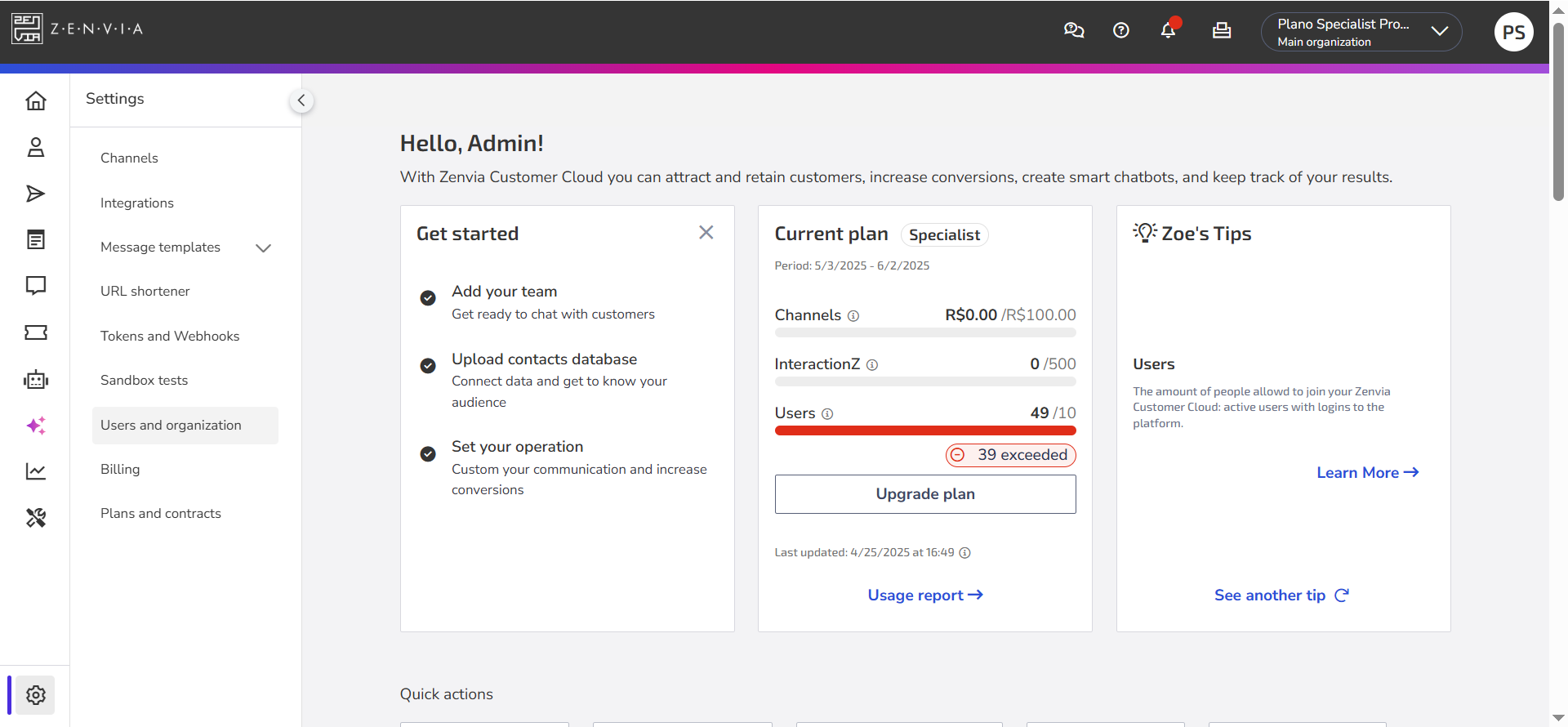 |
| Operator | Performs almost all actions of an admin, including access to the usage report. Does not have access to plans, contracts, or financial information of the organization. Ideal for those who manage operations, monitor results, and supervise service without handling administrative matters.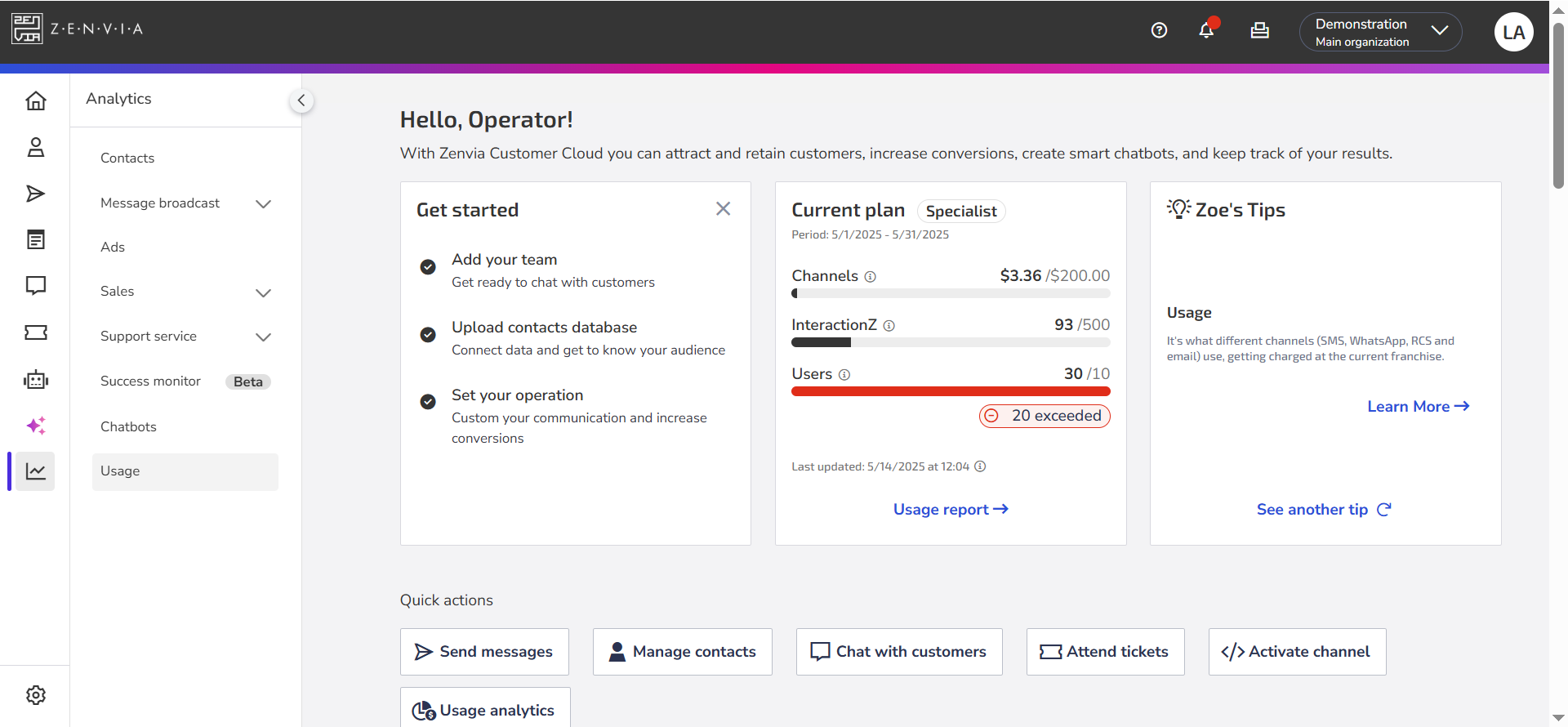 |
| Advanced Agent | Can provide support and view operational reports for customer service and support, chatbot conversations, and analytics (excluding Usage, Deliveries, Ads, and Success Monitor).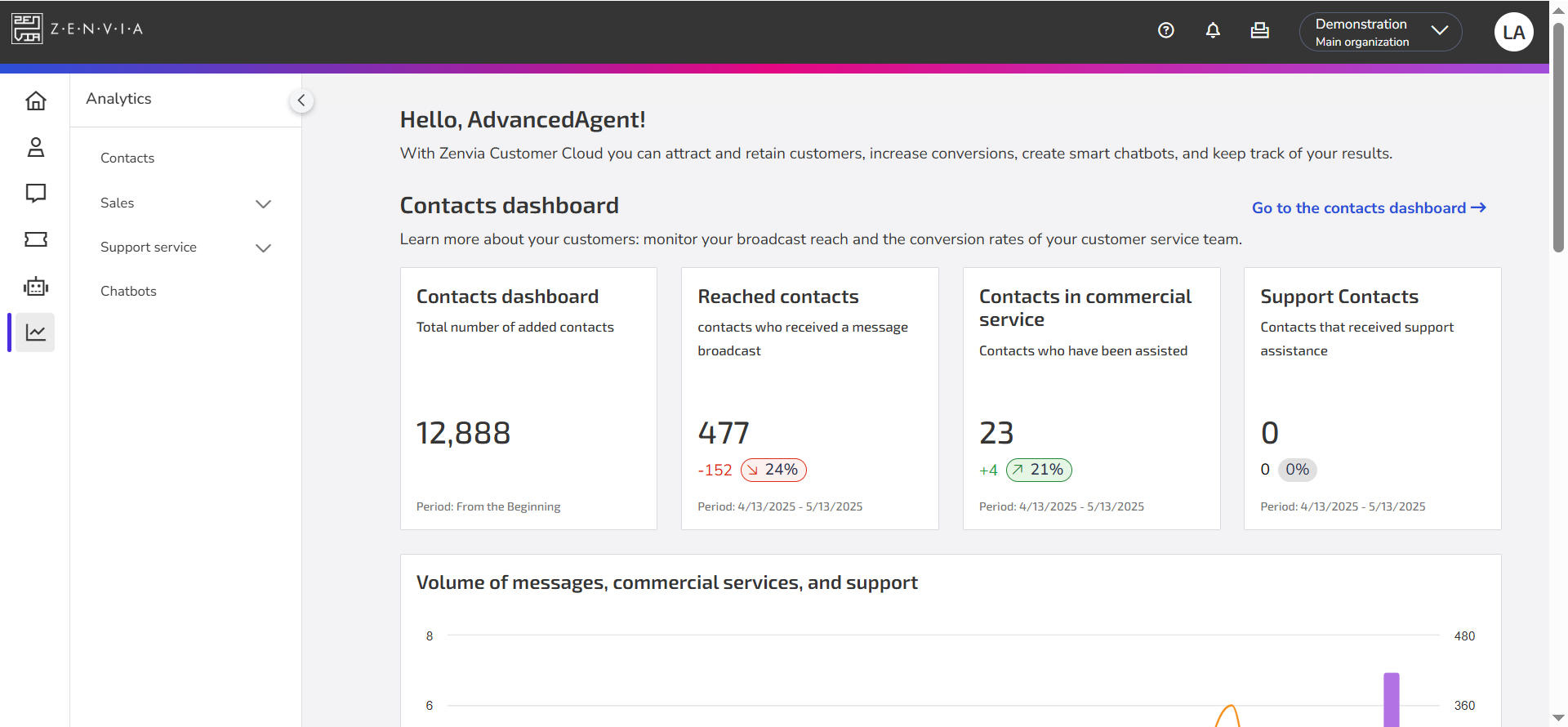 Can also access, create, and edit contacts directly in the contact base. Does not have access to plans, contracts, settings, or financial information. Ideal for team leaders or analysts who need a broader view of operations. Can also access, create, and edit contacts directly in the contact base. Does not have access to plans, contracts, settings, or financial information. Ideal for team leaders or analysts who need a broader view of operations.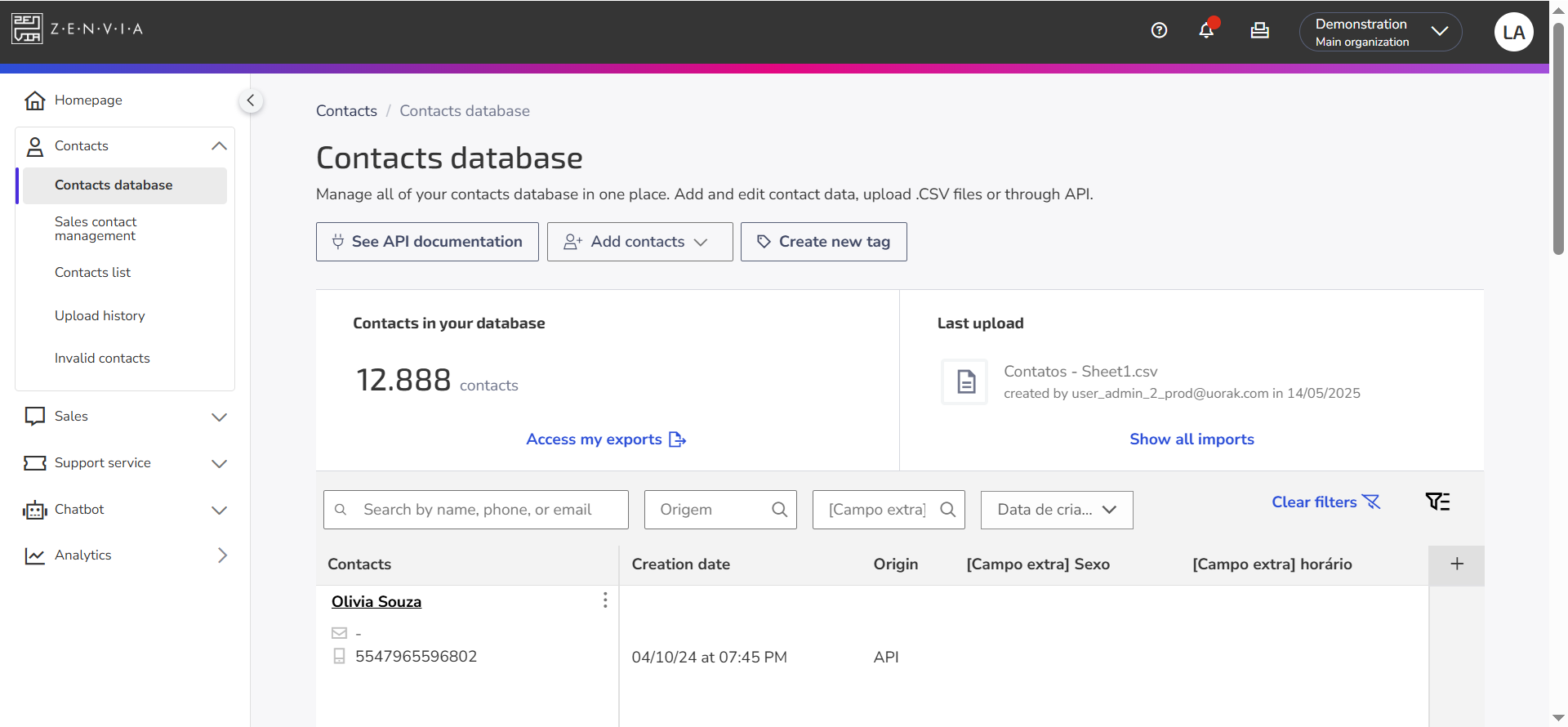 |
| Agent | Profile focused exclusively on customer and support service. Can only edit or create contacts through the commercial service inbox. Does not have access to reports, settings, plans, contracts, or financial information. Ideal for support agents who work directly with customers.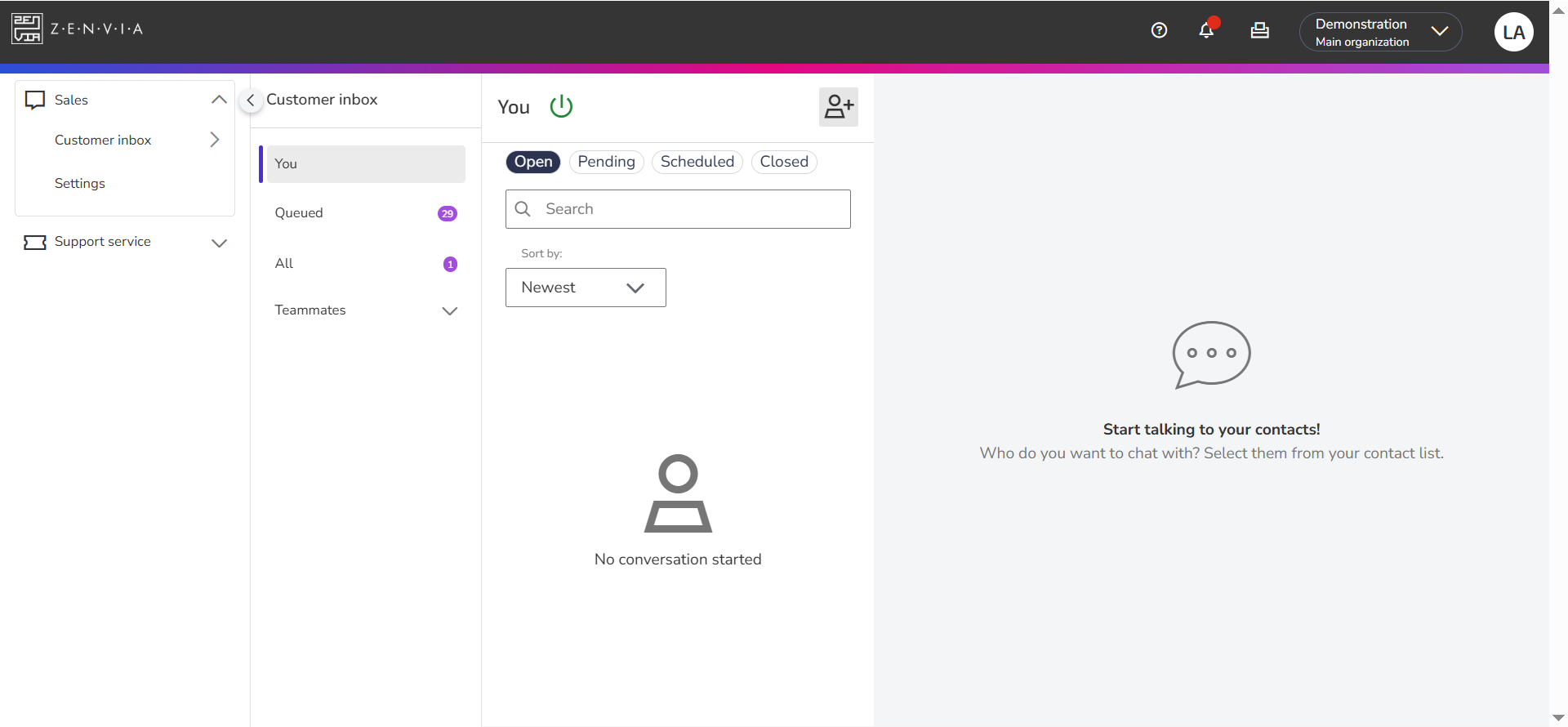 |
| Viewer | Read-only and auditing profile. Can view the contact base and lists, operational support reports, support tickets, integrations, and data from the Analytics menu (excluding Commercial service and Success Monitor). Can also view financial information.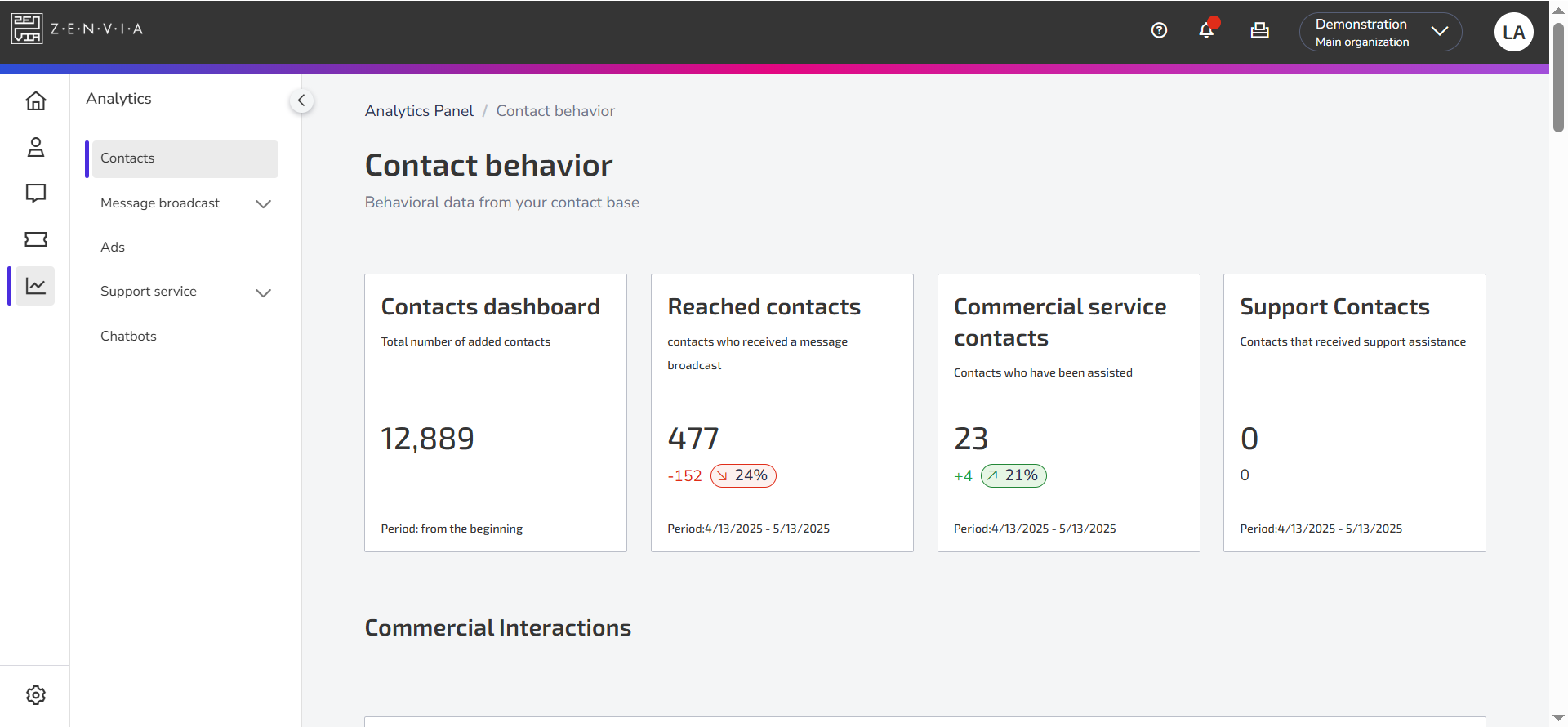 Cannot edit data, provide service, or access plans or contracts. Ideal for auditors, supervisors, or departments that need to monitor operations without interacting with the data. Cannot edit data, provide service, or access plans or contracts. Ideal for auditors, supervisors, or departments that need to monitor operations without interacting with the data.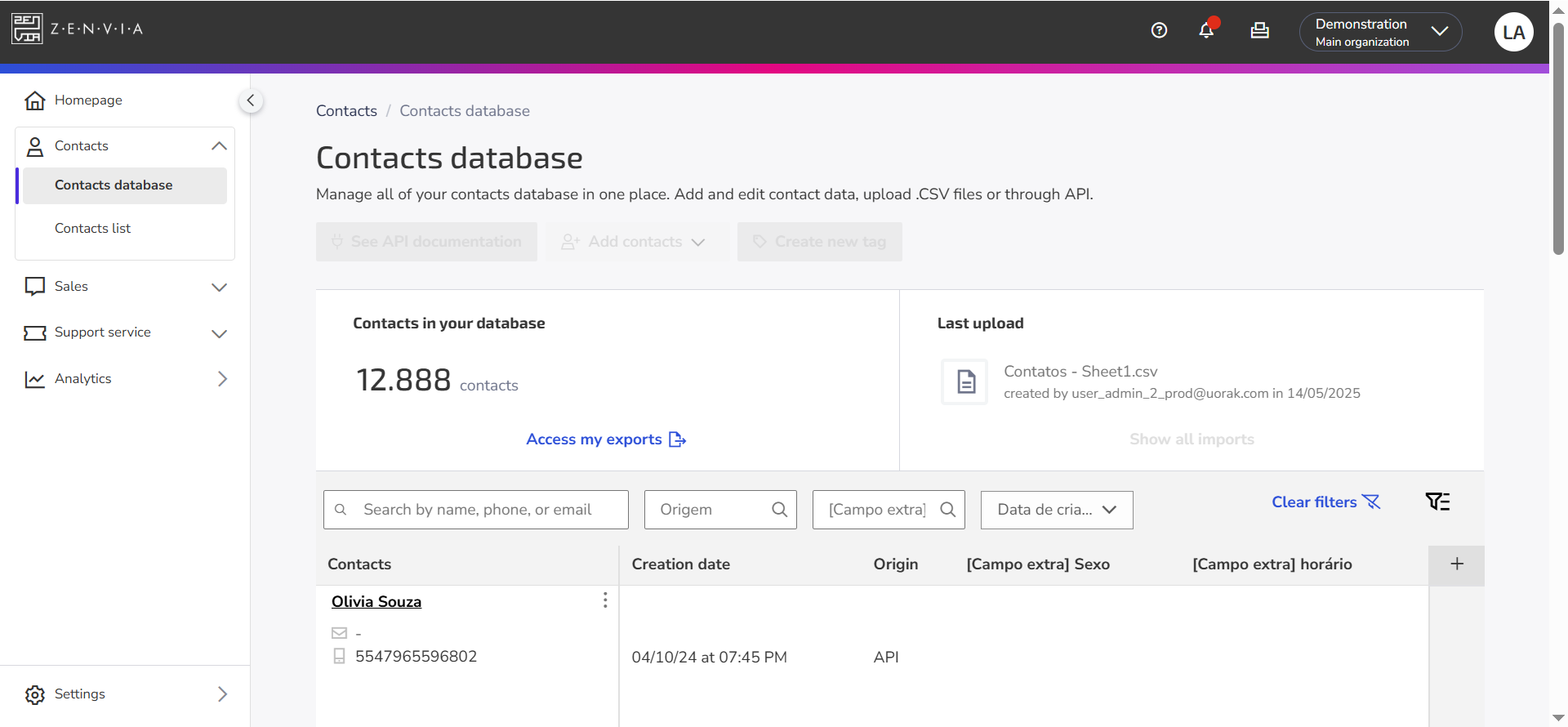 |
Need help with Zenvia Customer Cloud?
If you follow the instructions in this article and still have difficulties or questions related to Zenvia Customer Cloud, please contact our Support team directly. Check the step-by-step guide in the article: How to contact Zenvia Technical Support.